Ntwine
One tab for all your coding agents.
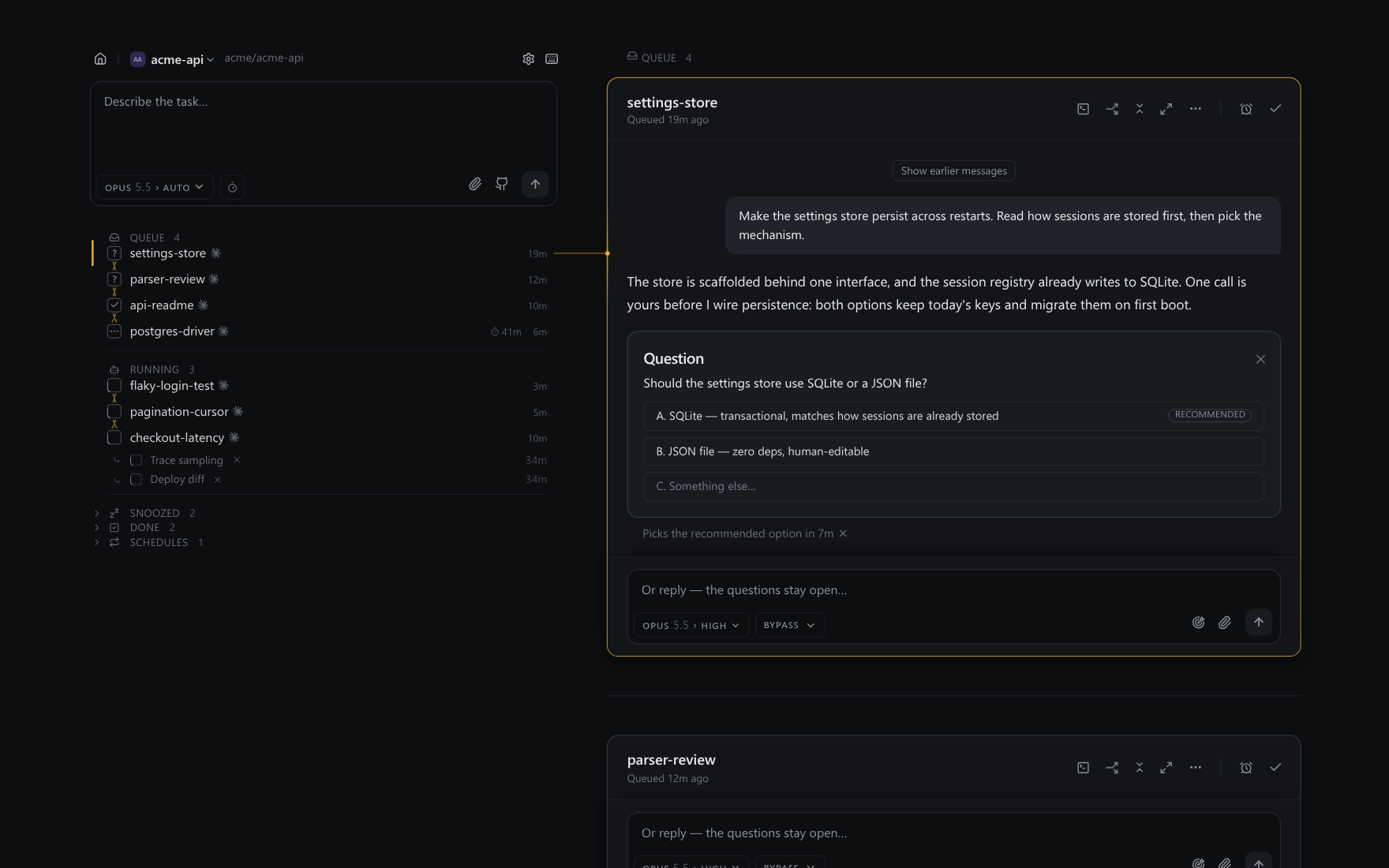
Run Claude Code, Codex and any ACP agent side by side. When one needs you, it becomes a card in a single queue.
Drives the agents you already use
- Claude Code
- Codex
- OpenCode
- Gemini CLI
- Copilot CLI
- Cursor
- goose
- Qwen Code
Principles.
Kept from the original design. Every feature is held to them.
A thread's state is its agent's own last word. Ntwine only checks that it holds up.
Outside a short, listed set, nothing is answered, parked or withdrawn on an agent's behalf.
Nothing enters the queue just to be dismissed, and a running thread never does.
Pinned, Queue, Running, Snoozed, Done. Every thread is in exactly one.
A project's board is the default. All projects is one click away.
No model, no cloud and no workflow. Just your CLIs on your sign-in, on localhost.
One queue, not ten terminals.
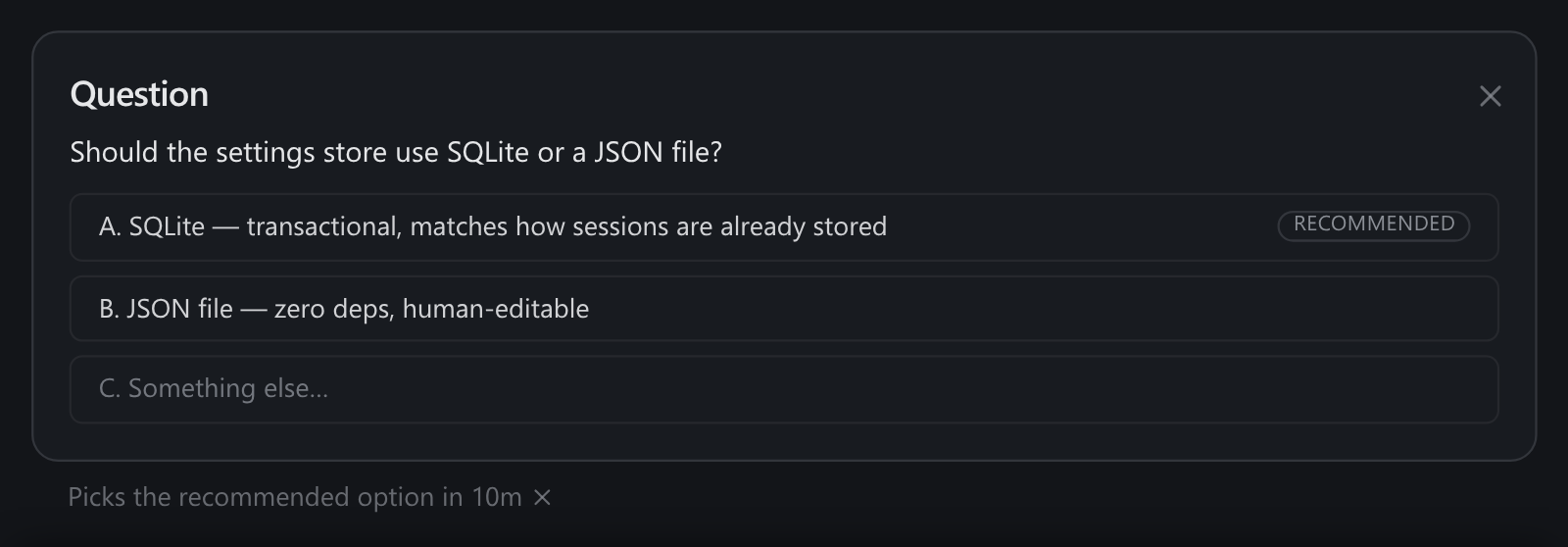
A worker keeps going until it reaches something only you can settle. Then it hands back a question with numbered options and its own recommendation, and you answer with one keystroke.
Threads waiting on their own sub-agents, on CI or on a review stay out of the queue, so nothing shows up just to be dismissed. If the agent marks a question as safe to default and you leave it alone, it takes the recommended option after 10m.
Waits that outlive the agent.
An agent waiting on CI, a review, a reporter’s reply or another thread registers a watch and rests outside your queue. Ntwine holds the watch, not the agent’s session, so it lasts as long as the server does. That can be days, or years.
When something lands, the thread wakes up and handles it on its own. Every thread has an @handle, so agents can read, message and wait on each other the same way.
  @settings-store  resting · watching acme/api#391

  Tue 14:02   CI passed
  Thu 09:41   review requested
  Thu 11:17   2 review comments
              ↳ @settings-store wakes and answers them

  @parser-review   waiting on @settings-store
              ↳ wakes when it hands back
One server, every project.
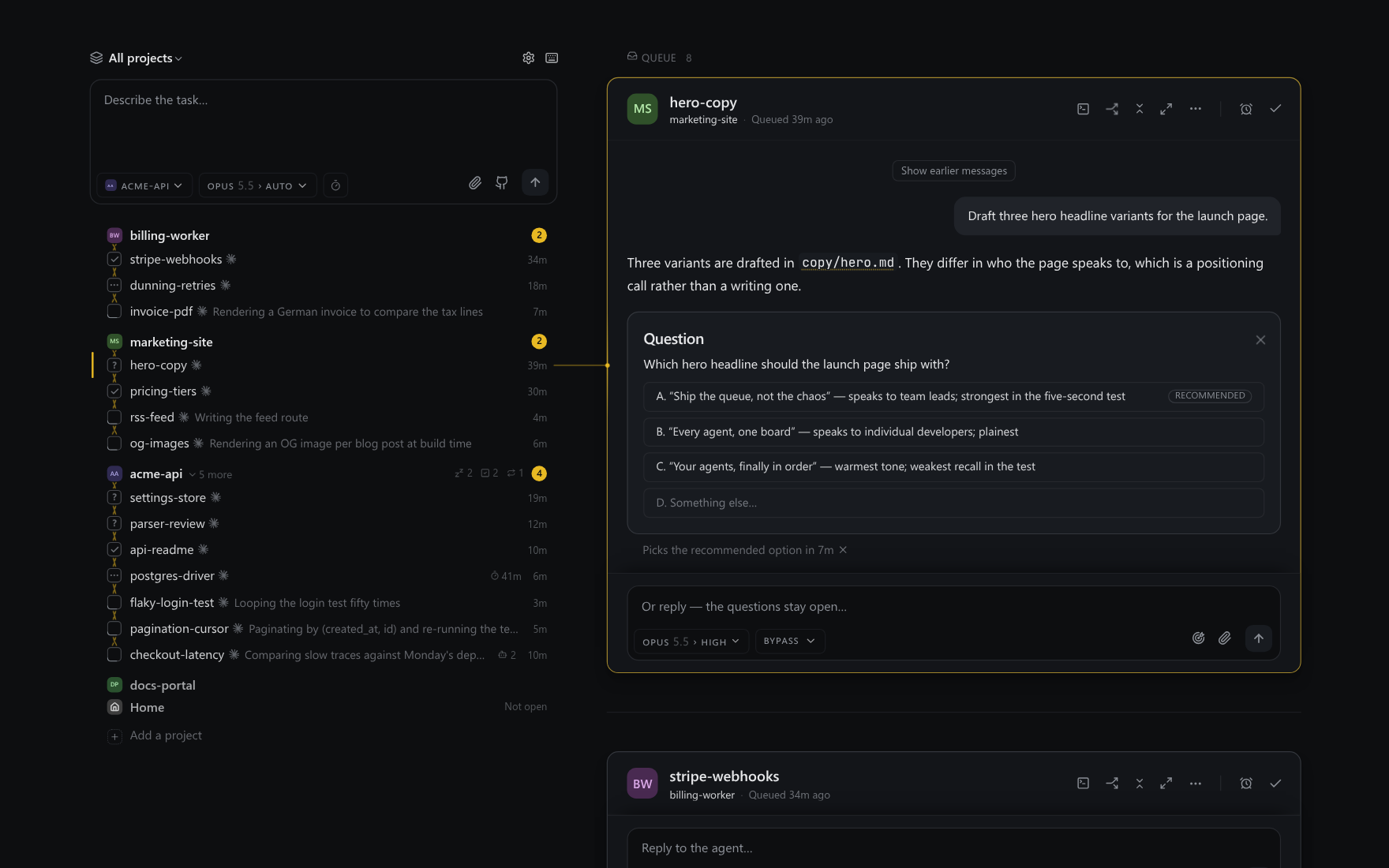
One server serves every repo on your machine, and each one gets its own board. Run npx ntwine in a second repo and it joins. All projects is one click away and shows every board’s work at once.
Each agent runs in its own background process. Close the tab or stop Ntwine and it keeps working. When you relaunch, Ntwine reconnects.
Built for the long run.
The parts that let a thread work without you.
Schedules, in plain words.
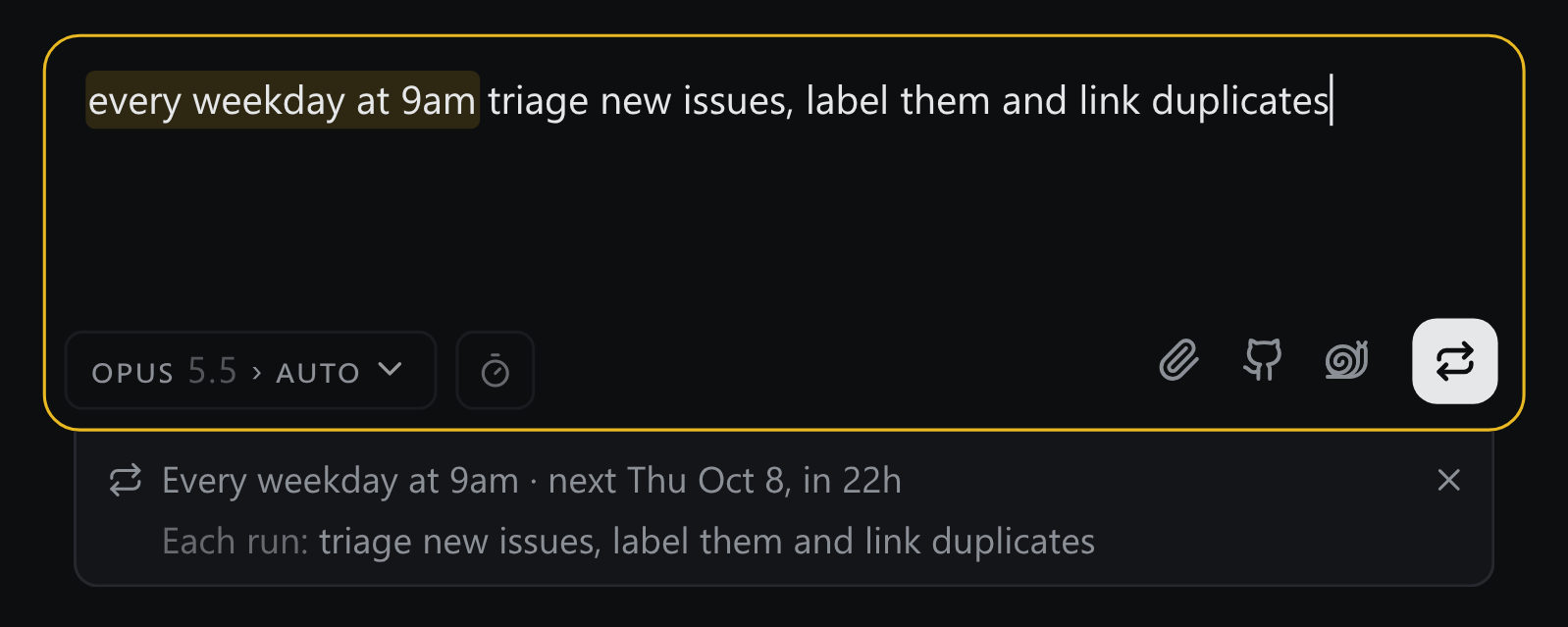
Type “every weekday at 9am triage new issues” and the prompt box reads the schedule as you type and shows when it next runs. Each run starts a fresh thread that lands in the queue like any other.
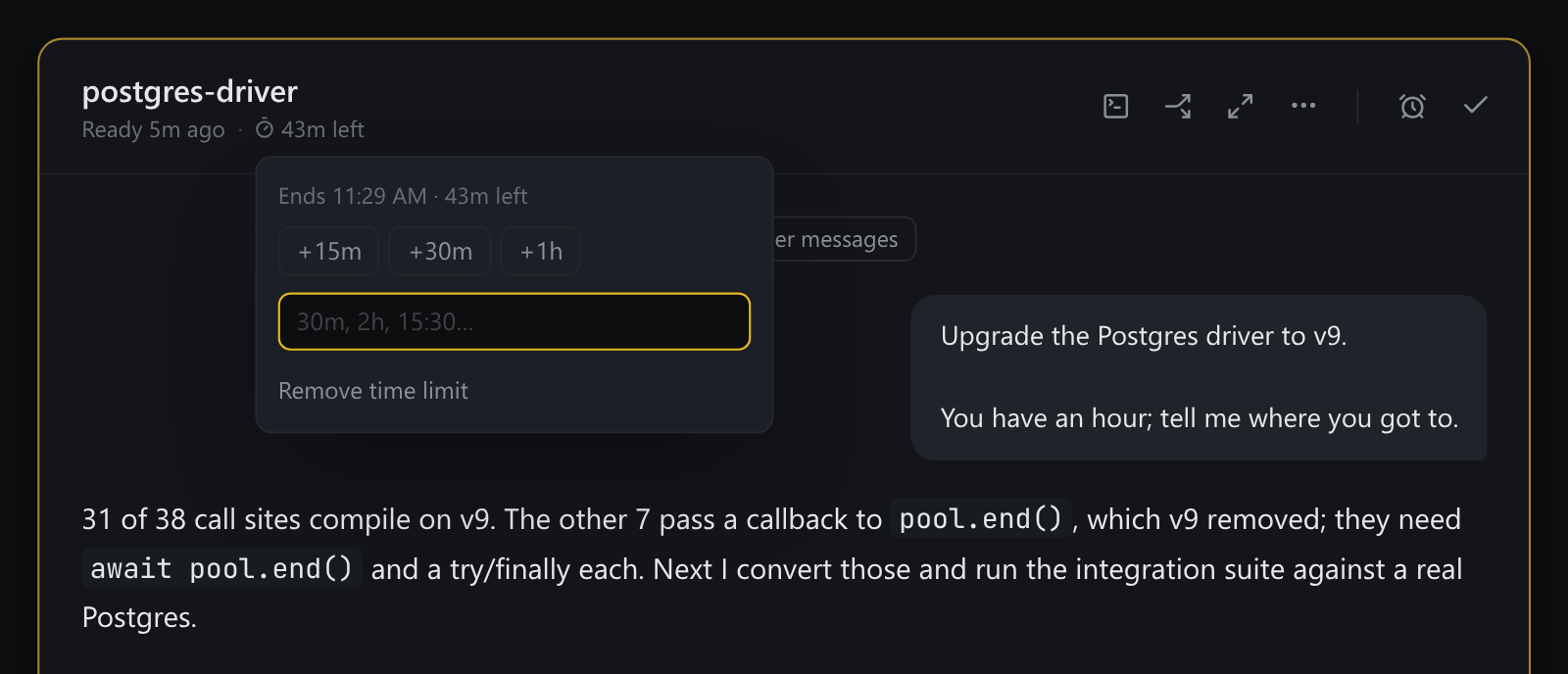
Go until 3:30.
Give a thread “2h” or “15:30”. The agent plans the best result it can hand over by then, gets reminders as time runs low, and gives its sub-agents a share. Meanwhile, the card counts down.
From your phone, too.
Press R in the terminal running Ntwine and pick how your phone should reach it. A private ntwine.app name needs no account and nothing installed.
Either way, Ntwine stays on localhost. The first visit from each device needs a single-use sign-in link, which it shows as a QR code.
  Reach this board from anywhere

  ❯ Private name        no account, nothing to install
    Cloudflare Tunnel   a domain you own
    Tailscale           your tailnet
    Something else      any proxy you run
    Off                 loopback only
Give it a try. It takes one command.
Read the quick start